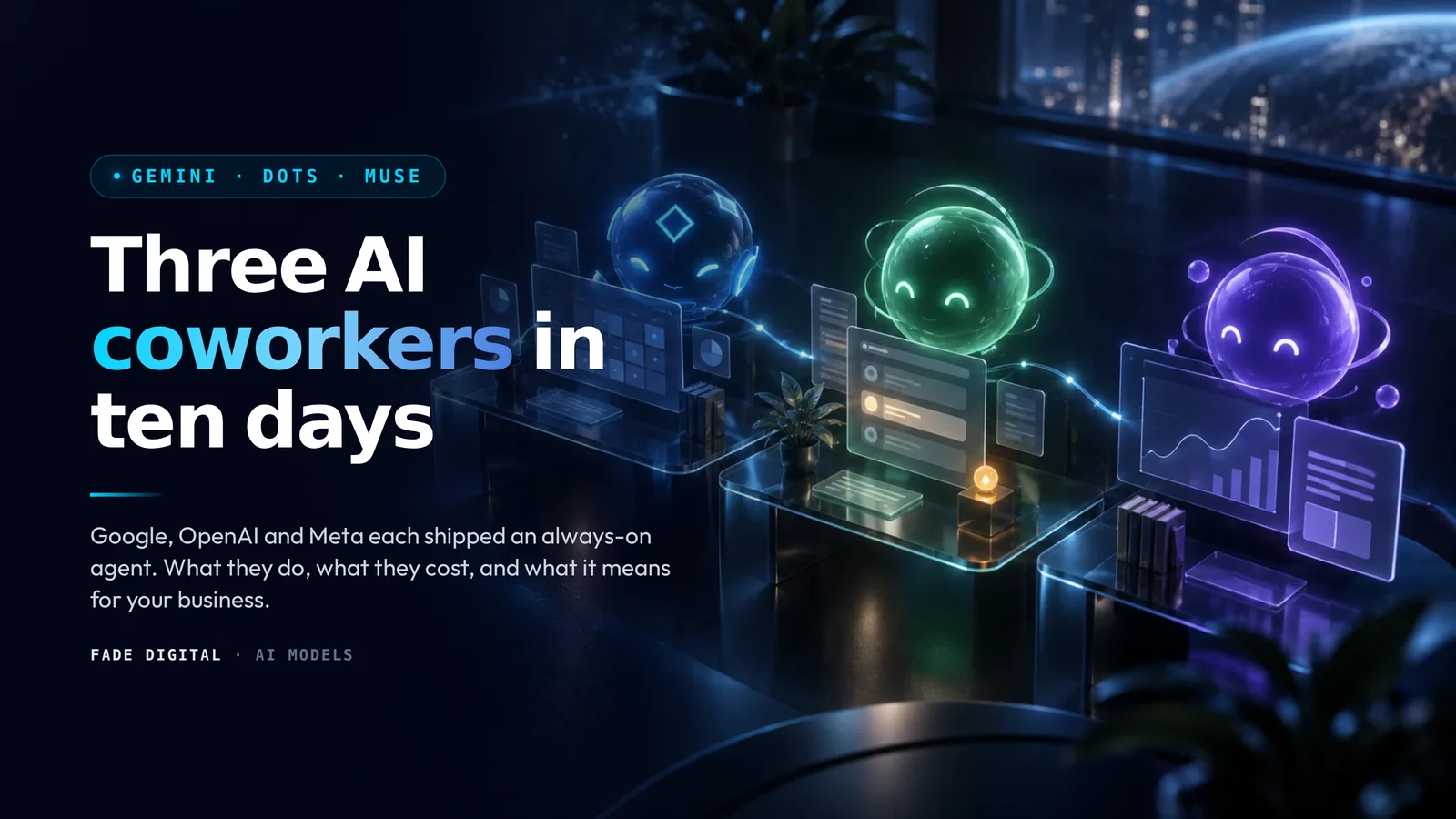
Between September 28 and October 8, 2026, the three biggest consumer platforms on earth each shipped the same idea. An AI agent that keeps working after you close the laptop, with its own computer, its own memory and, in two of the three cases, its own email address.
Meta launched Muse for Small Business on September 29. OpenAI launched Dots at DevDay the same day. Google answered on October 8 with the Gemini agent and coworker agents at Gemini at Work.
They look similar because they are. All three are built on the same bet: the chat box was a transitional interface, and the thing people actually want is a colleague who takes an objective and comes back with finished work.
This post explains what each one does, where they differ, and what a Toronto dental clinic, law firm or HVAC company should do about it. Everything here comes from the vendors' own announcements and the press coverage of the launches, linked in the sources. Where a vendor has not published a detail, I say so instead of guessing.
TL;DR
- Google's Gemini agent is one universal work agent that runs across Workspace, Microsoft 365, Slack, desktop, mobile and the command line. Its coworker agents get a real Workspace account: an email address, a calendar, a Drive and a directory listing. Announced October 8. No price and no general availability date published.
- OpenAI's Dots are always-on agents inside ChatGPT. Each one gets its own cloud computer and browser. The first Dot is included with ChatGPT Pro and Business Premium. Pro access excludes the EEA, Switzerland and the UK for now. Enterprise customers get a beta through their admin.
- Meta's Muse started as a consumer agent on September 8 and became Muse for Small Business on September 29, with connectors to Shopify, QuickBooks, Klaviyo, Canva, Slack and your Facebook, Instagram and Meta ad accounts. Free with usage limits, paid plans above that. Nothing publishes, sends or spends without your approval.
- The difference that matters: Google is selling an employee, OpenAI is selling a workstation, Meta is selling an operator for the channels it already owns.
- For your business, there are two questions. Which one should run your admin, and how does your business look to the agents your customers will send out? The second one is the bigger opportunity, and most local businesses are not ready for it.
What each company actually shipped
Before comparing them, here is what each announcement says, in its own terms.
Google: the Gemini agent and coworker agents
Thomas Kurian's keynote framed the Gemini agent as "your new single, universal agent for work." It answers questions, does knowledge work, creates content and media, and writes code from one interface. You can reach it on the web, iOS, Android, Windows, Mac, the command line, inside Google Workspace, inside Microsoft 365 and inside Slack, and developers can embed it headlessly in their own apps.
Three things stand out in Google's post.
It runs in the cloud, not on your machine. Google says work that takes "hours or days" continues after you close the laptop, with one set of memories across every device. It spins up temporary sub-agents for parallel steps. Google lists four kinds of memory it keeps: session, semantic, procedural (including skills it writes for itself) and episodic.
Coworker agents are provisioned like people. You create one by describing a role. It then "receives its own Workspace account, including an email address, calendar, Drive, and presence in your company directory." Colleagues add it to a Chat space, @mention it, or tag it in a Doc comment. It "sees only what you share with it," and every action it takes is logged and attributed to the agent, not to a person. Google's example is an events coordinator agent that drafts a launch readiness document and posts it to a group chat.
The model is a separate choice. Kurian's line was "Gemini is the agent, and the model underneath it is a separate choice." Google names four of its own model families (Argon for reasoning, Flash for speed, Omni for media, Gemma for lightweight edge work) and says Claude models from Anthropic are available for orchestration today.
Inside Workspace, Google describes three modes: personal assistance (it books "the usual team of regional event leads" without you naming them), proactive delegation (Workspace Intelligence flags a task you could hand off, with one click to do so) and the coworker agent as a member of the team.
Governance got as much airtime as capability. Each agent has what Google calls a cryptographically attested identity with least-privilege permissions, traffic passes through an Agent Gateway, execution happens in an isolated Agent Sandbox, and administrators can set hard per-project spend caps. When a cap is hit, the agent pauses, and a human can resume it with one click.
What Google did not say: when it ships, what it costs, or whether a coworker agent counts as a billed Workspace seat. Press coverage describes a private preview with wider access planned for selected Business and Enterprise plans, but Google's post carries no date. Industry packs for Financial Services and Legal are in preview. Government, Healthcare and Retail are "coming soon."
OpenAI: Dots and ChatGPT Space
OpenAI's announcement calls Dots "remarkably capable, always-on agents built to handle everything." You start with a primary Dot, name it and make it your own. It runs on GPT-6 Astra, the agent model we covered when it launched in GPT-6 Astra: what OpenAI's agent model means for your business.
The defining feature is the computer. Each Dot gets its own cloud computer and browser, separate from your laptop unless you connect them, and you can open that computer at any time to watch what it is doing. With permission it can also work directly on your machine.
When you have not given it a task, a Dot runs what OpenAI calls proactive research. In that mode its connections to your apps are read-only. It cannot send messages, change content or drive the browser. Anything that could touch your accounts or share information has to pass an auto-review check against your instructions, your Custom Rules (allow, require approval, or prohibit) and OpenAI's safety requirements. An Activity View lets you inspect and intervene in background work.
You can message a Dot in ChatGPT on desktop, web or mobile, or in Slack and Microsoft Teams, and the context carries across channels. Phone and text access are described as coming. OpenAI says it connects to more than 4,000 applications through its plugin ecosystem.
The second half of the announcement is ChatGPT Space, a shared layer where employees, ChatGPT, Codex and Dots work from the same context. It replaces the Library for eligible Pro, Business and Enterprise users and holds Pages that people and AI can edit together, which can refresh on a schedule or when a source changes. Collaborative slides and spreadsheets are planned.
OpenAI's own examples: a developer's Dot reviews customer feedback, finds recurring bugs, builds and tests fixes and returns pull requests. A marketer's Dot learns the brand standards and revises launch materials when the product changes. A content Dot finds clips in an interview transcript and drafts show notes and social posts. One early tester's Dot noticed an unbilled piece of work, prepared the invoice and waited for approval before sending it.
Specialist Dots are the enterprise version: an agent with its own organizational identity and credentials for one defined job. OpenAI has tested them internally on procurement, invoice processing, email marketing, customer support and contracting, and is working with Microsoft to govern them through Agent 365. These are pilots, not a product you can buy today.
Availability and price: the first Dot is included with ChatGPT Pro and Business Premium in eligible markets. Pro access excludes the EEA, Switzerland and the UK. Enterprise, Edu and Healthcare customers can try a beta once an administrator turns it on. Usage does not count against plan allowances for the first month. Additional Dots and higher capacity are planned at prices OpenAI has not published. OpenAI also says Dots "can still make mistakes" and tells users to review consequential work.
Meta: Muse, Muse for Small Business and the Meta Enterprise Platform
Meta moved first and moved three times.
Muse, the consumer agent, launched on September 8. It runs on Meta's Muse Spark model, lives on the web at muse.ai, in iOS and Android apps and inside WhatsApp, and is coming to Meta's glasses. It connects to email, calendars, payments, shopping, dining and smart home services, and can send emails, book travel, fill out forms, turn a recipe reel into a grocery list and make purchases through Link by Stripe. It runs in what Meta calls a Muse Secure VM, a dedicated computer with its own browser, alongside a separate Sentinel agent that watches it. Meta's post says it is available in the US and Canada. It is free with usage limits, then $20 a month for Power and $100 a month for Maximum, and a payment card is required to start.
Meta Enterprise Platform, announced September 28, is a new division led by Chirantan "CJ" Desai, previously CEO of MongoDB, reporting to Mark Zuckerberg. Zuckerberg's statement said it will "focus on bringing our full technology stack, including the Muse agent" to businesses and developers. It bundles Muse, a Meta Business Agent, a Muse API and Muse Code. Meta's post gives little detail on the Business Agent beyond the name. Early coverage describes it as a customer-facing agent for Meta's messaging apps, which, if accurate, is the piece most relevant to a local business, because it would sit between you and the customer inside WhatsApp, Messenger and Instagram.
Muse for Small Business, announced September 29, is the one you can use today. You give it a goal, such as running the business or finding new customers. Meta's five featured use cases are building a growth plan from your sales, campaign and social performance; triaging email and calendar; reviewing what is and is not working in your ads and content and drafting next week's campaign; a monthly financial review that flags unusual expenses; and proactive help such as flagging emails that need a reply and drafting the first version.
It connects to Facebook Pages, Instagram professional account analytics and Meta ad accounts, plus fifteen named third-party tools: Asana, Box, Canva, Dropbox, Figma, Granola, HighLevel, Intuit QuickBooks, Klaviyo, Lovable, Notion, Shopify, Slack, Stripe and Zoom. You can add custom connectors for anything else. Meta's rule for all of it: "nothing publishes, sends, or spends without your approval."
Meta's launch customer is Tom Mulholland, who owns a grocery store in Malvern, Iowa, works about 65 hours a week and wanted to "free up time for the work that actually makes my business money." That sentence is the whole pitch.
Side-by-side comparison
| Gemini agent and coworker agents | ChatGPT Dots | Meta Muse for Small Business | |
|---|---|---|---|
| Maker | OpenAI | Meta | |
| Announced | October 8, 2026 | September 29, 2026 | September 29, 2026 (consumer Muse: September 8) |
| What it is | One universal work agent, plus role-based coworker agents with their own Workspace accounts | Always-on personal agents in ChatGPT, each with its own cloud computer and browser | A goal-driven agent that runs a small business's marketing, admin and finances through connected tools |
| Where it lives | Web, iOS, Android, Windows, Mac, CLI, Google Workspace, Microsoft 365, Slack, headless in your apps | ChatGPT web and mobile, Slack, Microsoft Teams; phone and text coming | muse.ai, iOS, Android, WhatsApp; glasses coming |
| Model | Your choice: Gemini Argon, Flash, Omni, Gemma or Claude, routed per job | GPT-6 Astra | Muse Spark |
| Keeps working when you leave | Yes, in the cloud, for "hours or days" | Yes, on its cloud computer | Yes, in a Muse Secure VM |
| Identity | Coworker agents get an email address, calendar, Drive and directory entry | Specialist Dots with their own credentials are in enterprise pilots | Acts under your accounts |
| Guardrails | Attested identity, least privilege, Agent Gateway, Agent Sandbox, per-project spend caps, full audit log | Read-only proactive mode, auto-review of consequential actions, Custom Rules, Activity View | Nothing publishes, sends or spends without your approval; Sentinel agent watches the VM |
| Price | Not published | First Dot included with Pro or Business Premium; extra Dots and capacity priced later | Free with usage limits; paid plans above that (prices not published for business) |
| Availability | Private preview; no GA date. Industry packs for finance and legal in preview | Pro and Business Premium in eligible markets; Pro excludes EEA, Switzerland and UK; enterprise beta via admin | US and Canada (Meta's post on personal Muse) |
| Best fit | A business already on Google Workspace that wants an agent with a seat at the table | A marketer, founder or developer who wants a tireless second workstation | An owner-operator who sells through Meta's apps and Shopify and has no admin staff |
Three points of difference carry most of the weight.
Where the agent sits. Google puts the agent inside the identity system you already run. It gets a mailbox and shows up in the directory, so it can be invited, CC'd and audited like a contractor. OpenAI puts the agent on its own machine and lets you watch the screen. Meta puts the agent inside your accounts, with a hard approval gate on anything outbound. These are three different answers to the question "who is responsible when it acts."
Which model. Google is the only one of the three that treats the model as swappable, including a competitor's model. OpenAI and Meta each run their own. For most business owners this will not matter. For anyone who has watched a model change break a workflow, it is the reason Google's version exists.
Who it was built for. Google's examples are banks, telcos and a government customer. OpenAI's are developers, product teams and scientists, with a single small-business example (the invoice). Meta's is a grocer in Iowa. Meta is the only one of the three whose launch post is written for a company with no IT department.
Use cases for the businesses we work with
Here is how each agent maps onto the kinds of businesses that read this blog. The prompts are examples of what you would type. They are not output from any of the products, and the figures in them are placeholders you would replace with your own.
A dental clinic with two locations, on Google Workspace
The clinic lives in Gmail, Calendar and Drive. The office manager's week is recall reminders, insurance pre-authorizations, supply reorders and the monthly report for the owner.
A Gemini coworker agent is the natural fit, because the work is already inside Workspace and the agent can be given access to exactly the shared drives and Chat spaces it needs. Describe the role once:
You are the clinic's operations coordinator. Every Monday, review the shared "Recalls" sheet, draft reminder emails for patients overdue by more than six months in our standard tone, and post the list for approval in the Front Desk chat. Never send to a patient without an approval reaction from a staff member.
What to check before you turn it on: it "sees only what you share with it," so the agent's Drive permissions are the whole privacy model. PHIPA still applies. Google says a Healthcare industry pack is coming, but today you own the compliance decision.
A personal injury law firm, intake-heavy, on Microsoft 365
Intake is the bottleneck: new leads arrive by form, phone and email, and the first response time decides whether the file opens with you or with the firm down the street.
Dots fit here because they reach Microsoft Teams, run on their own computer, and have a Custom Rules layer that can require approval for anything outbound. A primary Dot can be told:
Watch the intake mailbox and the website form. For each new lead, draft a conflict check request from our template, create a Teams post in Intake Triage with the matter summary, and draft, but do not send, the acknowledgement email. Flag anything mentioning a limitation period in the subject line.
What to check: Dots are available on Business Premium in supported regions, and OpenAI's specialist Dots with their own credentials are still in pilot. Keep the Dot on your identity with "require approval" rules until that changes. Google's Legal pack with matter-level permissions and ethical walls is in preview, which is worth watching if your firm is on Workspace instead.
An HVAC company selling through Facebook, Instagram and Shopify
The owner runs the ads, answers the DMs and does the books on Sunday night. There is no marketing manager and there is not going to be one.
This is exactly who Muse for Small Business was written for. The connectors it ships with are the owner's actual stack: Meta ad accounts, Instagram analytics, Shopify, QuickBooks, Klaviyo and Canva. The prompts Meta features map straight onto this business:
Review last month's ad spend and lead volume by campaign, tell me which service-area campaigns are underperforming, and draft next week's furnace tune-up campaign for approval.
Go through this month's QuickBooks transactions and flag anything unusual compared with the last six months.
What to check: Muse works inside your accounts, so the approval gate is the control. Meta has not published business pricing beyond "free for most of what people need." Watch the usage meter the first month.
A real estate team that wants content without a content person
Listing descriptions, neighbourhood posts, show notes from the weekly market video, a newsletter. All three agents can do this, but Dots and ChatGPT Space are the most complete version of it today: OpenAI's own example is a Dot that pulls clips from an interview transcript, drafts show notes and social posts, then propagates your edits everywhere. A Space Page that updates when a source changes is a living listings sheet.
What to check: brand voice is a memory problem. OpenAI says Dots learn your preferences and standards over time, and Google says the same about its agent. Neither publishes how long that takes or how to reset it. Keep a written style guide the agent can read, and review the first few weeks' output closely.
The bigger story: your customers are getting agents too
Everything above is about using these agents. The more important question for a local business is what happens when your customers use them.
Muse can book travel, fill out forms and buy things through Stripe. A Dot has its own browser. The Gemini agent runs for days and reaches into Google's own search and maps. These are not search engines. They are customers' representatives, and they will read your website the way software reads a website.
We measured how that goes in our study of 36 Toronto business websites: almost all were crawlable, but 65% had no machine-readable opening hours and 44% had no business schema at all. An agent asked to "book me a Saturday appointment with a physiotherapist near Liberty Village" cannot shortlist a clinic whose hours live in a JPEG.
The fixes are the same ones we laid out when GPT-6 Astra launched, and they have not changed:
- Put the facts in crawlable HTML. Hours, services, prices, service area, booking link, as text in the page source. Not in an image, a PDF or a widget that loads after JavaScript.
- Name your entity in schema.
LocalBusiness(or the subtype:Dentist,LegalService,HVACBusiness),openingHoursSpecification,areaServed, a cleansameAslist. The JSON-LD templates for AI post has copy-and-paste markup for each. - Make the booking completable by software. A short labelled form beats "call us." An agent that hits a CAPTCHA on every attempt moves to the next clinic.
- Be consistent everywhere the agent will look. Muse reads your Facebook Page and Instagram profile. The Gemini agent reads your Business Profile. If your hours disagree across those and your site, the agent has to pick one, and it may pick wrong.
Being readable gets you onto the shortlist. The human still reads your reviews and makes the call. But the shortlist is now made by a machine with a budget and a deadline, and it does not squint at a badly built page. It moves on.
What I would do this month
If you are on Google Workspace, ask your reseller or admin about the Gemini agent preview and start writing the job description for your first coworker agent. The role, the folders it may read, and the one person who approves its outbound mail. That document is useful whichever vendor you end up with.
If you already pay for ChatGPT Pro or Business Premium, you have a Dot. Give it one bounded, read-mostly job this week, such as a weekly digest of reviews and competitor pricing posted to Slack, and leave the Custom Rules on "require approval" for anything that sends.
If you run your business through Meta's apps and Shopify, try Muse for Small Business on the free tier with the campaign review prompt above. It is the lowest-friction entry of the three and it reads the data you already have.
And whichever you pick, run a check on how your own site looks to an agent. The free AI visibility scan asks ChatGPT, Claude and Gemini the questions your customers ask and shows what they can and cannot find. If you want the readiness work done rather than diagnosed, that is what our GEO service is for, and The AI Visibility Engine explains how we sequence it.
Frequently Asked Questions
What is the difference between the Gemini agent, ChatGPT Dots and Meta Muse? All three are always-on AI agents that keep working after you close the app. Google's Gemini agent runs across Workspace, Microsoft 365 and Slack, and its coworker agents get their own Workspace account with an email address and calendar. OpenAI's Dots live in ChatGPT, each with its own cloud computer and browser. Meta's Muse for Small Business connects to your Facebook, Instagram, Meta ads, Shopify and QuickBooks accounts and acts only with your approval.
How much do ChatGPT Dots cost? OpenAI includes the first Dot with ChatGPT Pro and Business Premium at no extra charge, and usage does not count against plan allowances for the first month. Additional Dots and higher capacity are planned at prices OpenAI has not published. Pro access excludes the EEA, Switzerland and the UK at launch.
Is Meta Muse for Small Business free? Meta says Muse is free "for most of what people need," with usage limits and paid plans for heavier use. The consumer Muse tiers are free, $20 a month for Power and $100 a month for Maximum. Meta has not published separate business pricing.
When can I get Google's Gemini agent and coworker agents? Google announced them on October 8, 2026, without a general availability date or a price. Press coverage describes a private preview with wider access planned for selected Workspace Business and Enterprise plans. The Financial Services and Legal industry packs are in preview; Government, Healthcare and Retail are listed as coming soon.
Which AI agent is best for a small local business? It depends on where your work already lives. If your business runs on Google Workspace, the Gemini coworker agent fits the tools you have, once it is available. If you already pay for ChatGPT Pro or Business Premium, a Dot is included. If you sell and advertise through Facebook, Instagram and Shopify with no admin staff, Muse for Small Business is built for that stack and has the lowest cost of entry.
Do these agents change how my business shows up in AI search?
Yes. These agents browse, compare and book on a customer's behalf, so your website has to be readable by software, not just by people. Publish hours, services, prices and a booking link as text in the page source, add LocalBusiness schema, and keep your details consistent across your site, Google Business Profile and Meta pages.
Can these agents take actions without my permission? Each vendor has a gate. Meta says nothing publishes, sends or spends without your approval. OpenAI runs a Dot's unprompted research in read-only mode and auto-reviews any action that could touch your accounts, with Custom Rules to require approval or prohibit actions. Google gives each agent a least-privilege identity, logs every action and lets administrators set spend caps. All three still tell you to review consequential work.
Sources
- Google Cloud, Welcome to Gemini at Work 2026, October 8, 2026. Adapted from Thomas Kurian's keynote. Customer figures in that post are Google's claims.
- VentureBeat, OpenAI launches Dots, always-on AI agent coworkers, and ChatGPT Space, September 29, 2026.
- SiliconANGLE, OpenAI launches Dots, always-on AI agents in ChatGPT with their own cloud computers, September 29, 2026.
- TechCrunch, OpenAI launches Dots, its bubbly agentic avatar, September 29, 2026.
- Meta, The Future Is for Everyone: Muse for Small Business, September 29, 2026.
- TechCrunch, Meta is expanding its AI agent Muse to small businesses, September 29, 2026.
- TechCrunch, Meta debuts its Muse AI agent. Will consumers trust it?, September 8, 2026.
- PYMNTS, Meta Launches Platform Aimed at Attracting Enterprise Customers, September 28, 2026.
- Beri, Google's Gemini Agent Gets Its Own Mailbox Before It Gets a Price, October 2026, on availability and pricing gaps.
The example prompts in this post are illustrations written by Fade Digital. They are not output from any of the products, and the businesses in them are fictional.