Fade Digital
Home

Services

Get Found by AI Paid Client Acquisition Local Dominance Content & Authority Website & Conversion

Industries

Healthcare Dental & Clinics Legal Real Estate
Results

Company

About Us GEO Insights Knowledge Base Contact Client Portal
28 Claude Dispatch Frameworks — AI delegation system for running your business
Free Playbook — Updated March 31, 2026

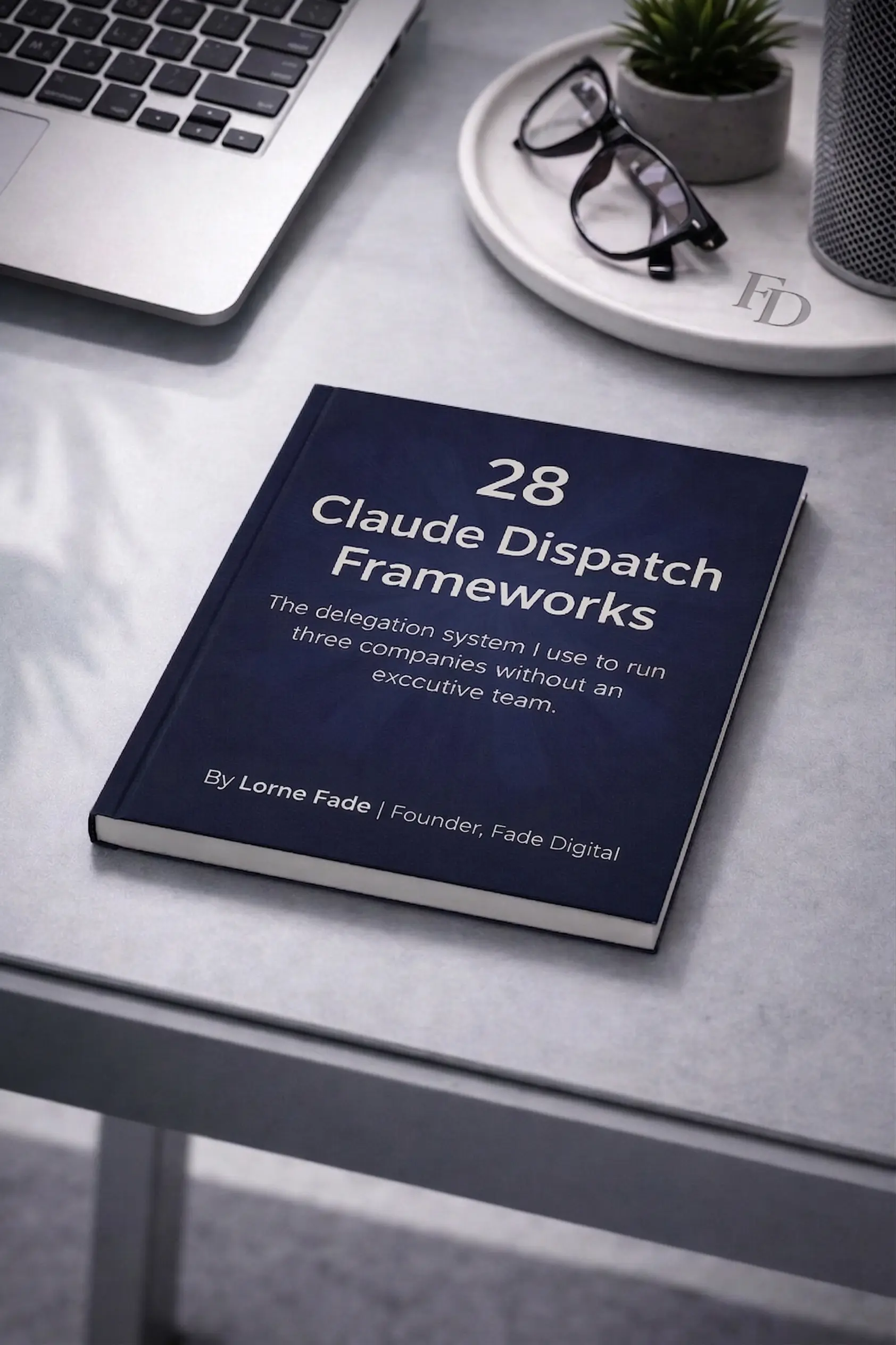
28 Claude Dispatch
Frameworks

The delegation system I use to run three companies without an executive team. Copy-paste frameworks that turn Claude into a $150K Chief of Staff.

Lorne Fade, Founder of Fade Digital Lorne Fade · Founder, Fade Digital
📖 22 min read 🧩 28 frameworks 📋 Copy-paste ready
10+
Hours Saved / Week
28
Plug-in Frameworks
$0
Cost to Implement
Unlock the Full Playbook Free · No credit card · Instant access

Why your AI delegation sucks

Telling an LLM to "act as my assistant" is lazy and does not work. It is the biggest trap in AI right now.

❌ Chatbot Users

Playing Engineer

Spend 40 minutes having a conversation to write one email. Open a new tab and the AI has amnesia. Re-explain your brand voice every single morning. By the time the AI is ready, you could have done the task yourself.

✓ Operators

Building Systems

Text a delegation from your phone while grabbing coffee. Claude spins up the right session on your desktop. It reads local files, opens apps, and delivers a push notification when it's done. You delegate and walk away.

❌ The Average

No Frameworks = Wrong Task, Faster

When you say "act as my assistant," the AI averages every assistant on the internet. You get a blend of Fortune 500 EA and college intern. Without structured delegation, Dispatch just executes the wrong task at higher speed.

✓ The System

4-Element Delegation Formula

Context + Constraint + Format + Verification. This meta-framework powers every single workflow in this guide. Real experts work with limits. Force the AI to operate inside a box — and it performs like your highest-paid employee.

The 4-Element Delegation Formula

Without these 4 elements, delegation fails. With them, Dispatch becomes your highest-paid employee.

01

Context

Define your exact business reality. Don't assume it knows your pipeline or target market.

02

Constraint

The most critical step. Give strict budget, timeline, and scope limits. Without constraints, AI hallucinates success.

03

Format

Never ask for "an analysis." Demand a 2-page memo, a .csv, an exact email draft. Specific, structured outputs only.

04

Verification

Force Claude to audit its own accuracy against your constraints before delivering the final result.

Dispatch vs. Regular Cowork

They are not the same thing. Cowork is a session. Dispatch is an employee.

Capability Regular Cowork Claude Dispatch
Cross-device (phone → desktop)
Persistent memory
Scheduled tasks (runs while you sleep)
Computer use (mouse & keyboard)
Local file access
Works when you walk away

Why We Verify Subscribers

We have had multiple instances of bots scraping this content and people republishing it without authorization.

This guide took 40+ hours to build. It is free. But it is not public domain.

To keep the full playbook available for real humans — and out of the hands of content thieves — we require a valid email address to unlock the remaining sections. It takes 3 seconds. No spam. No upsells. Just proof you are a real person.

Unlocks instantly on the page. No inbox required. No upsells.

Revenue & Sales Frameworks

Sales is a numbers game. But tracking those numbers eats up your day. Stop clicking through dashboards. Let your AI Chief of Staff bring the data to you.

Framework 1

The Revenue Pulse

When to use: Daily or weekly revenue check
Open our payment dashboard. Pull the MRR, churn rate, and new customer count for the last 7 days. Compare these numbers to the previous 7-day period. Flag any anomalies or sudden drops. Deliver a one-page executive MRR snapshot.
What Claude Does
  • Accesses your payment dashboard via computer use
  • Pulls the raw financial numbers
  • Compares current metrics to past periods
  • Builds a concise executive summary
What You Get Back

A clean revenue snapshot with MRR, churn, new customers, and red flags.

Pro Tip: Schedule this as a daily 7 AM routine. Wake up knowing exactly where your cash sits.
Framework 2

The Pipeline Surgeon

When to use: Weekly pipeline review
Open the CRM. Audit all active deals in the pipeline. Identify stalled opportunities that have had zero activity in the last 7 days. Draft a short, personalized re-engagement email for each stalled deal based on the last recorded communication.
What Claude Does
  • Opens your CRM and scans deal stages
  • Identifies stalled accounts
  • Reads past deal notes
  • Writes personalized follow-ups
What You Get Back

A list of at-risk deals with ready-to-send follow-up emails.

Pro Tip: Pair with the Follow-Up Machine for automated re-engagement sequences.
Framework 3

The Proposal Builder

When to use: New client opportunity
We have a new client opportunity with [Client Name]. Search my email and Slack for all prior communication with them. Pull the meeting notes. Draft a structured proposal and Statement of Work based on what we discussed.
What Claude Does
  • Searches your email and Slack history
  • Pulls relevant context and meeting notes
  • Drafts a structured proposal document
What You Get Back

A formatted proposal document ready for your final review.

Pro Tip: Save your best proposals as templates for Claude's memory. It learns your style fast.
Framework 4

The Pricing Auditor

When to use: Quarterly pricing review or before a major pitch
Research the pricing pages for [Competitor 1], [Competitor 2], and [Competitor 3]. Compare their features and tiers to ours. Build a comparison matrix spreadsheet. Recommend specific adjustments to our pricing based on gaps.
What Claude Does
  • Uses the browser to visit competitor sites
  • Extracts pricing data and feature lists
  • Builds a comparison matrix
  • Identifies gaps in your current model
What You Get Back

A pricing comparison spreadsheet plus strategic recommendations.

Pro Tip: Run this before every enterprise pitch. You will know exactly how to position your cost.
Framework 5

The Churn Predictor

When to use: Monthly churn prevention
Scan our recent support tickets, product usage patterns, and payment history. Flag any accounts showing signals of churning. Cross-reference these data points and provide a ranked list of at-risk accounts with recommended interventions.
What Claude Does
  • Cross-references multiple data sources
  • Scores account risk based on behavior
  • Identifies specific warning signs like dropped usage
What You Get Back

A ranked list of at-risk accounts with specific reasons and recommended actions.

Pro Tip: Set this as a weekly scheduled task. Catch the bleeding before it starts.

Content & Marketing Frameworks

Attention is currency. But creating content from scratch every day leads to burnout. Your AI Chief of Staff acts as your personal media agency. This is how Lorne manages content across multiple companies and 52K+ LinkedIn followers without a content team.

Framework 6

The Content Autopilot

When to use: Weekly content planning
Analyze my top 10 performing posts from the last 30 days. Identify patterns in the topics and formats. Generate next week's content calendar. Draft 5-7 post concepts with strong hooks based on what already worked.
What Claude Does
  • Pulls your post analytics
  • Identifies winning formats and topics
  • Drafts 5–7 post concepts with proven hooks
What You Get Back

A complete weekly content calendar with topics, hooks, and posting times.

Pro Tip: Schedule this every Friday at 3 PM. Walk into the weekend with next week's marketing done.
Framework 7

The Repurposing Engine

When to use: After a post gets strong engagement
This post performed incredibly well: [Link/Text]. Repurpose this core idea into four new formats: a Twitter/X thread, a newsletter section, a LinkedIn carousel outline, and a 60-second short-form video script.
What Claude Does
  • Analyzes the winning post structure
  • Adapts the tone for each specific platform
  • Formats the copy for different audiences
What You Get Back

4–5 platform-specific content pieces from one original post.

Pro Tip: Run this within 24 hours of a post going viral. Momentum matters. Keep feeding the algorithm.
Framework 8

The Engagement Radar

When to use: Daily morning routine
Scan the comments on my last 5 posts. Identify high-value commenters like founders or decision-makers. Draft a short, personalized reply to their comment. Also, draft a brief DM opener to continue the conversation in private.
What Claude Does
  • Opens LinkedIn and reads comment threads
  • Researches commenter profiles
  • Writes contextual replies and DM openers
What You Get Back

A list of high-value commenters with drafted replies and DM scripts.

Pro Tip: Focus entirely on commenters who asked questions. They are your warmest leads.
Framework 9

The Competitor Content Tracker

When to use: Weekly competitive intel
Go to the LinkedIn profiles of [Competitor 1], [Competitor 2], and [Competitor 3]. Pull their latest posts. Analyze their topics, hooks, and engagement levels. Identify content gaps that we can exploit in our own marketing.
What Claude Does
  • Visits competitor profiles
  • Catalogs recent posts and scores engagement
  • Maps out their content strategy
What You Get Back

A competitor content audit with specific gaps you can exploit today.

Pro Tip: Track the same 5 competitors for 4 weeks straight. You will start to see their playbook.
Framework 10

The Lead Magnet Drafter

When to use: Creating a new lead magnet
I am creating a lead magnet about [Topic] for [Target Audience]. Read these 3 source articles: [Links]. Produce a detailed outline. Once approved, write a full first draft section by section. Format it for distribution.
What Claude Does
  • Reads the provided source material
  • Builds a logical structure
  • Writes the draft section by section
  • Formats it for easy reading
What You Get Back

A complete first draft of a 3,000+ word guide.

Pro Tip: Always provide source material. AI writing without sources is just AI guessing.

Inbox & Communication Frameworks

Your inbox is a to-do list created by other people. Stop letting it dictate your day. Let your AI Chief of Staff act as the gatekeeper.

Framework 11

The Inbox Zero Protocol

When to use: Daily morning routine
Scan my inbox. Categorize all unread emails into Urgent, Respond Later, FYI, or Archive. Draft short, direct replies to the urgent ones based on my previous communication style. Archive the promotional noise.
What Claude Does
  • Opens your email client
  • Reads subjects and body copy
  • Triages by priority
  • Drafts contextual replies
What You Get Back

A triaged inbox with drafted replies ready for your final approval.

Pro Tip: Schedule this at 6:30 AM. Your inbox is perfectly clean before you even pour your coffee.
Framework 12

The Slack Firefighter

When to use: After being offline for 2+ hours
Scan all my Slack channels. Surface any threads where I am explicitly mentioned or where someone is waiting on my approval. Draft brief responses to unblock my team. Ignore casual chatter.
What Claude Does
  • Reads channel history across your workspace
  • Identifies threads needing your input
  • Writes contextual, unblocking responses
What You Get Back

A summary of hot threads plus pre-written responses.

Pro Tip: Run this after every block of deep work or back-to-back meetings.
Framework 13

The Cold Email Responder

When to use: Inbound lead emails
Review this inbound email from [Name]. Research the sender on LinkedIn and their company website. Assess if they match our Ideal Customer Profile. Draft a personalized response referencing their specific situation.
What Claude Does
  • Searches for the sender's background
  • Evaluates if they match your ICP
  • Writes a reply that speaks to their specific pain points
What You Get Back

A personalized reply draft plus a quick profile summary of the sender.

Pro Tip: Speed kills deals. Run this within 1 hour of receiving the inbound email.
Framework 14

The Meeting Prep Brief

When to use: 30 minutes before any call
I am meeting with [Name] from [Company]. Provide a one-page briefing with their background, recent company news, shared connections, and three talking points based on our past email history.
What Claude Does
  • Researches across LinkedIn, company sites, and news
  • Scans past emails and meeting notes
  • Compiles a scannable brief
What You Get Back

A one-page meeting prep document.

Pro Tip: Include the phrase "Find anything they've said publicly about [Your Industry]" for instant rapport.
Framework 15

The Follow-Up Machine

When to use: After meetings
Check my calendar for all meetings in the last 48 hours. Cross-reference with my sent email folder to see who I haven't followed up with. Draft follow-up emails for any gaps, including proposed action items based on the meeting titles.
What Claude Does
  • Scans your calendar events
  • Checks your sent folder
  • Identifies the missing follow-ups
  • Writes personalized emails with action items
What You Get Back

Draft follow-up emails for every meeting that slipped through the cracks.

Pro Tip: Schedule this as a daily 5 PM routine. You will never drop a follow-up again.

Client Management Frameworks

Your clients pay for results, not your time. Manage them like a machine. Stop letting emails slip through the cracks.

Framework 16

The Client Health Scorecard

When to use: Weekly client check (especially with 3+ active clients)
Scan all client Slack messages, emails, and meeting notes from the last 7 days. Score each client green, yellow, or red based on communication sentiment, response time, and open action items.
What Claude Does
  • Reads across communication channels per client
  • Analyzes sentiment and responsiveness
  • Builds a traffic-light dashboard
What You Get Back

A one-page client health dashboard with red/yellow/green scores and specific reasons.

Pro Tip: Red = call them today. Yellow = check in this week.
Framework 17

The Deliverable Tracker

When to use: Mid-week project status check
Scan project folders and check what deliverables are pending vs completed. Identify any items past deadline.
What Claude Does
  • Opens local project folders
  • Cross-references with task lists and deadlines
  • Identifies missing assets
What You Get Back

A status report showing exactly what's done, pending, and late.

Pro Tip: Add a constraint like "only flag items more than 2 days overdue" to filter out the noise.
Framework 18

The Onboarding Packet

When to use: The minute a new client signs
Client name is [Name], industry is [Industry], service type is [Service]. Compile a welcome doc with intake questions, a project timeline template, and a communication preferences form.
What Claude Does
  • Pulls from your templates folder
  • Customizes for the client's industry
  • Builds a branded packet
What You Get Back

A complete onboarding packet ready to send.

Pro Tip: Build once, iterate forever. Claude remembers your best templates.
Framework 19

The QBR Builder

When to use: Quarterly business review prep
Pull 90 days of communication, deliverables, metrics, and wins for [Client Name]. Draft a structured quarterly business review presentation.
What Claude Does
  • Aggregates 3 months of data across email, Slack, and project files
  • Builds a structured QBR deck
What You Get Back

A presentation with metrics, wins, challenges, and next-quarter recommendations.

Pro Tip: Schedule this on the 25th of the last month of each quarter.
Framework 20

The Escalation Detector

When to use: Scheduled daily or every 48 hours
Scan all client communications from the last 48 hours. Flag any messages with frustration signals, repeated requests, negative language, or escalation phrases like "still waiting."
What Claude Does
  • Runs NLP analysis across client channels
  • Identifies tone shifts and repeated complaints
What You Get Back

An early warning alert with flagged messages and recommended responses.

Pro Tip: This single framework prevents 90% of surprise cancellations.

Operations & File Management Frameworks

Admin work kills momentum. Let your AI handle the digital paperwork.

Framework 21

The File Organizer

When to use: Weekly desktop cleanup
Scan my Downloads and Desktop folders. Sort files into project folders by type (PDFs, images, spreadsheets, docs). Rename files with consistent naming conventions.
What Claude Does
  • Reads file names and metadata
  • Creates project subfolders
  • Moves and renames files
What You Get Back

A clean, organized file system with a summary of what moved where.

Pro Tip: Set a naming convention rule (e.g., "YYYY-MM-DD_ClientName_Description") in Claude's memory.
Framework 22

The Data Consolidator

When to use: Monthly reporting or any multi-source analysis
Pull data from [Source 1], [Source 2], and [Source 3]. Merge into one clean spreadsheet with consistent formatting.
What Claude Does
  • Opens multiple files and screenshots
  • Extracts relevant data
  • Normalizes formats into a unified spreadsheet
What You Get Back

One clean, merged spreadsheet with source attribution.

Pro Tip: Specify column headers in your delegation text so Claude matches your format exactly.
Framework 23

The SOP Writer

When to use: Right after completing a new process
Here are the rough steps for the process I just completed: [Dump steps]. Formalize this into a standard operating procedure. Include tool references, screenshot locations, and decision trees.
What Claude Does
  • Structures your brain dump
  • Creates numbered instructions
  • Accounts for edge cases
What You Get Back

A professional SOP document ready to hand to a team member or VA.

Pro Tip: "Write this for someone who has never done this task before" — forces Claude to be thorough.
Framework 24

The Invoice Processor

When to use: Monthly bookkeeping
Scan my inbox for invoices received this month. Extract the vendor name, amount, date, and category. Compile this data into a tracking spreadsheet.
What Claude Does
  • Searches email for invoice messages
  • Opens attachments to extract data fields
  • Formats the numbers
What You Get Back

A monthly invoice tracking spreadsheet with all payables organized.

Pro Tip: Schedule this on the 1st of each month as an automated routine.

Strategic & Weekly Review Frameworks

You need to work on your business. Not just in it. Use these to maintain altitude.

Framework 25

The Weekly Review

When to use: Sunday evening or Monday morning
Compile this week's metrics across revenue, content performance, and client status. List wins and blockers. Generate my top 3 priorities for next week.
What Claude Does
  • Aggregates data from multiple sources
  • Identifies patterns and bottlenecks
  • Drafts a structured weekly review
What You Get Back

A one-page weekly review document.

Pro Tip: This is your most valuable scheduled task. Set it for Sunday at 7 PM.
Framework 26

The Decision Memo

When to use: Any time you face a strategic decision
Here is the decision context: [Context]. Research both sides. Present pros and cons, make a recommendation, and include a risk assessment.
What Claude Does
  • Researches the decision space
  • Structures logical arguments
  • Quantifies tradeoffs
What You Get Back

A structured decision memo with a recommendation and risk analysis.

Pro Tip: Include "assume I have [budget/timeline]" to force practical recommendations.
Framework 27

The Competitive Intel Brief

When to use: Weekly or before a strategic planning session
Scan the websites, LinkedIn profiles, and public announcements from the last 7 days for these 5 competitors: [List]. Summarize their moves and threats.
What Claude Does
  • Uses the browser to research competitors
  • Identifies product launches, pricing changes, and hiring signals
What You Get Back

A competitive intel briefing with specific moves and strategic implications.

Pro Tip: Track the exact same competitors for 4 weeks to spot hidden patterns.
Framework 28

The Goal Tracker

When to use: Monthly progress check
Here are my quarterly OKRs/goals: [List]. Check progress against each one, calculate completion percentage, and flag what's off-track with specific reasons.
What Claude Does
  • Reviews goals against actual results
  • Calculates progress percentages
  • Identifies blockers
What You Get Back

A goal tracking dashboard with completion percentages and course corrections.

Pro Tip: Pair with The Decision Memo when a goal is significantly off-track.

Building Your Own Frameworks

You know the basics. Now you build your own system.

The Custom Framework Template

Don't start from scratch. Use this exact template to build your own delegation frameworks.

Role: [Who Claude needs to act as] Context: [What is happening right now] Task: [The exact output you need] Constraints: [What NOT to do / formatting rules] Sources: [Where to pull the data from]

Train The Memory

AI is only as good as its context. Train Dispatch on your business patterns. Feed it your brand voice, your pricing sheets, and your standard operating procedures. Tell it how you like your data formatted. It remembers. You never have to explain yourself twice.

The Rule of Three Delegations

If you do a manual task once, fine. If you do it twice, take notes. If you do it three times, build a framework. Never repeat rote work. Turn it into a prompt. Let the machine handle it next time.

Automated Chains

Single prompts are good. Chains are better. Combine your frameworks into automated sequences. Run the Revenue Pulse, feed that into the Churn Predictor, and push the results through the Escalation Detector. One click on Monday morning. Total visibility.

You now have 28 frameworks.

If you install 5 of these this week, you will reclaim 10+ hours.

If you install all 28, you will run your business like someone with an executive team.

The hard part isn't knowing what to delegate. It's building the discipline to delegate consistently. Most founders read a guide like this, implement 2 frameworks, and then go back to doing everything manually.

Don't be that founder. Here is how to keep the momentum going:

Want us to build this for you?

We implement AI delegation systems for growing businesses. Book a strategy call and we'll map out your first 5 automated workflows.

Book a Strategy Call →

See where AI cites your brand

Get a free AI visibility audit. We'll show you exactly how ChatGPT, Perplexity, and Google AI Overviews are talking about you — and how to improve it.

Get Your Free AI Audit →

Enter your email to unlock.

All 28 frameworks reveal instantly on the page. No inbox required. No spam. No upsells.

Free. Instant. No credit card.