Anthropic opened a research preview of Claude Duet on October 21, 2026: a separate app where Claude works as a proactive agent. Instead of waiting for you to open a chat, it sends you a brief every morning, watches your connected apps, takes on tasks you hand it by text or voice, keeps working on its own cloud computer after you put your phone down, and asks before it sends, pays, signs or deletes anything (Anthropic).
That makes it a different kind of product from the Claude chat app. This guide covers what Duet does, how it works, what it is not allowed to do, who can get it, and 30 concrete ways to use it: the ones Anthropic has shown, and the ones we would test first for the service businesses we work with.
What is Claude Duet?
Claude Duet is Anthropic's proactive agent app, built on Claude Opus 5.5 and launched as a research preview on October 21, 2026. It brings you what needs your attention, completes tasks you message it, keeps working while you are away, and checks with you before it acts on your behalf. Anthropic says it was built for "professionals and small business owners with more on their plates than they can track."
It is a standalone app on iOS and Android, and opens on the web at claude.ai. It uses your existing Claude account: your memory, skills and connected apps carry over, so there is little to set up. You talk to it in one ongoing thread, by typing or voice, so "reply to Sam" and a week-long project start in the same place (Anthropic).
Here is what a day with it is meant to feel like. This is our illustrative storyboard, drawn from the capabilities Anthropic describes, not a screenshot of the app.
 Morning brief
Morning. 4 things in progress, 2 need you.
- Invoices: 6 unpaid in QuickBooks. Reminders are drafted.
- Calendar: Thursday's supplier call overlaps your 2 p.m. Move it to 3?
Claude DuetOn it. Pulling from your booking app, Stripe and your inbox. I'll message you when it's ready.
Needs your OKDoneYour daily page is ready. It refreshes at 6 every morning.
Heads-upPayroll is prepared in Gusto for your review. Two overtime entries look high compared with last month.
Evening report- 6 reminders sent, 2 already paid.
- Supplier call moved to Thursday at 3.
- Waiting on you: payroll approval.
Illustrative storyboard by Fade Digital, based on the morning brief, background tasks and approval flow Anthropic describes. The business, figures and messages are invented. App icon: Anthropic.
How does Claude Duet work?
Claude Duet works in a loop: it checks your connected apps every few hours, decides what needs you and what can wait, and messages you only when something does. Tasks you hand it run on its own cloud computer, with its own browser, and come back as finished work for your review. Anything that would send, pay, sign or delete stops at an approval screen first.
Claude DuetBuilt on Claude Opus 5.5. Decides what needs you, what can wait and when to check with you.Diagram by Fade Digital, from Anthropic's launch post and product page.
How is Claude Duet different from the Claude app?
The difference is who starts. In the Claude app you open a chat and work alongside Claude. Claude Duet comes to you: it tells you what needs your attention each morning, takes tasks you hand it by message, and reaches out when one is done or needs a decision. Anthropic describes it as working "like a teammate you trust."
| Claude app | Claude Duet | |
|---|---|---|
| Who starts | You open a chat | Duet messages you first, and you message it |
| Where the work happens | In your conversation | On its own cloud computer and browser |
| While you are away | Waits for you | Keeps working, notifies you when done |
| Your context | Memory, skills, connectors | The same, carried over from your account |
| Acting on your behalf | In the session you are in | Approval before it sends, pays, signs or deletes |
For now Duet lives in its own app, separate from the main Claude app, and Anthropic says what it learns from early users will shape how the two work together.
What will Claude Duet not do without you?
Claude Duet reads, drafts and prepares on its own, but it shows you exactly what it is about to do and waits for your approval before it sends a message, makes a payment, signs a document or deletes anything. Some actions are off-limits even with approval: Anthropic names trading securities and moving money between accounts.
Does on its own
- Reads your connected apps
- Drafts replies and documents
- Researches in its own browser
- Builds briefs, sheets, decks, dashboards
Waits for your OK
- Sending a message
- Making a payment
- Signing a document
- Deleting anything
Off-limits, even approved
- Trading securities
- Moving money between accounts
Source: Anthropic's Introducing Claude Duet, October 21, 2026. You can also disconnect any app Duet has access to.
The safety design draws on work Anthropic already ships elsewhere. Duet's handling of credentials follows the design used for Claude Managed Agents, so it never directly sees your passwords or sign-in tokens. Actions pass through the same auto mode classifier that guards Claude Code, its defences against prompt injection come from Anthropic's browser-use research, and it was penetration tested by red teams and an outside firm. A new classifier checks each outgoing message and is designed to reject sharing the strictest tier of information, such as credit card numbers and government ID; health and personal finance details go out only when you have explicitly told Duet to send them (Anthropic).
For purchases, Duet can use Link, Stripe's digital wallet: it confirms the item with you, Link asks you to approve the spend, and it pays with a virtual card so your real card number is not shared. It can also check out with Shop Pay, and Anthropic says sign-in with logins saved in 1Password is coming, with your permission.
Who can get Claude Duet, and what does it cost?
Claude Duet is a waitlisted research preview for Claude Pro, Max and Ultra subscribers in the United States. It is included in those plans rather than sold separately, but it shares your plan's usage limits with the rest of Claude. Team and Enterprise plans are not included yet, and Anthropic has not announced availability outside the US.
Usage works differently from chat. Duet's background checks count toward your limits, and large tasks, such as a financial model or a deck, take more model turns and background work. That is the reason it checks your apps every few hours rather than constantly. You can tell it what you want to hear about and how often.
Anthropic is candid about the preview's limits: Duet may misread a thread or misjudge what is urgent, it can miss something that arrives between check-ins, personal errands such as booking tickets are weaker than work tasks, and it cannot yet show you its browser.
We're in Toronto, so this is a waitlist we are watching rather than a tool we have tested. Everything below is grounded in what Anthropic has published, and we mark which use cases are Anthropic's own examples and which are our ideas.
What apps does Claude Duet work with?
Claude Duet can use the more than 6,000 connectors and plugins in the Claude Marketplace. Anthropic's launch examples name Gmail, Slack, Intuit QuickBooks, Stripe, Gusto, LinkedIn, Docusign, HubSpot, Canva and Shopify, plus Link and Shop Pay for purchases and 1Password for sign-in (coming soon).
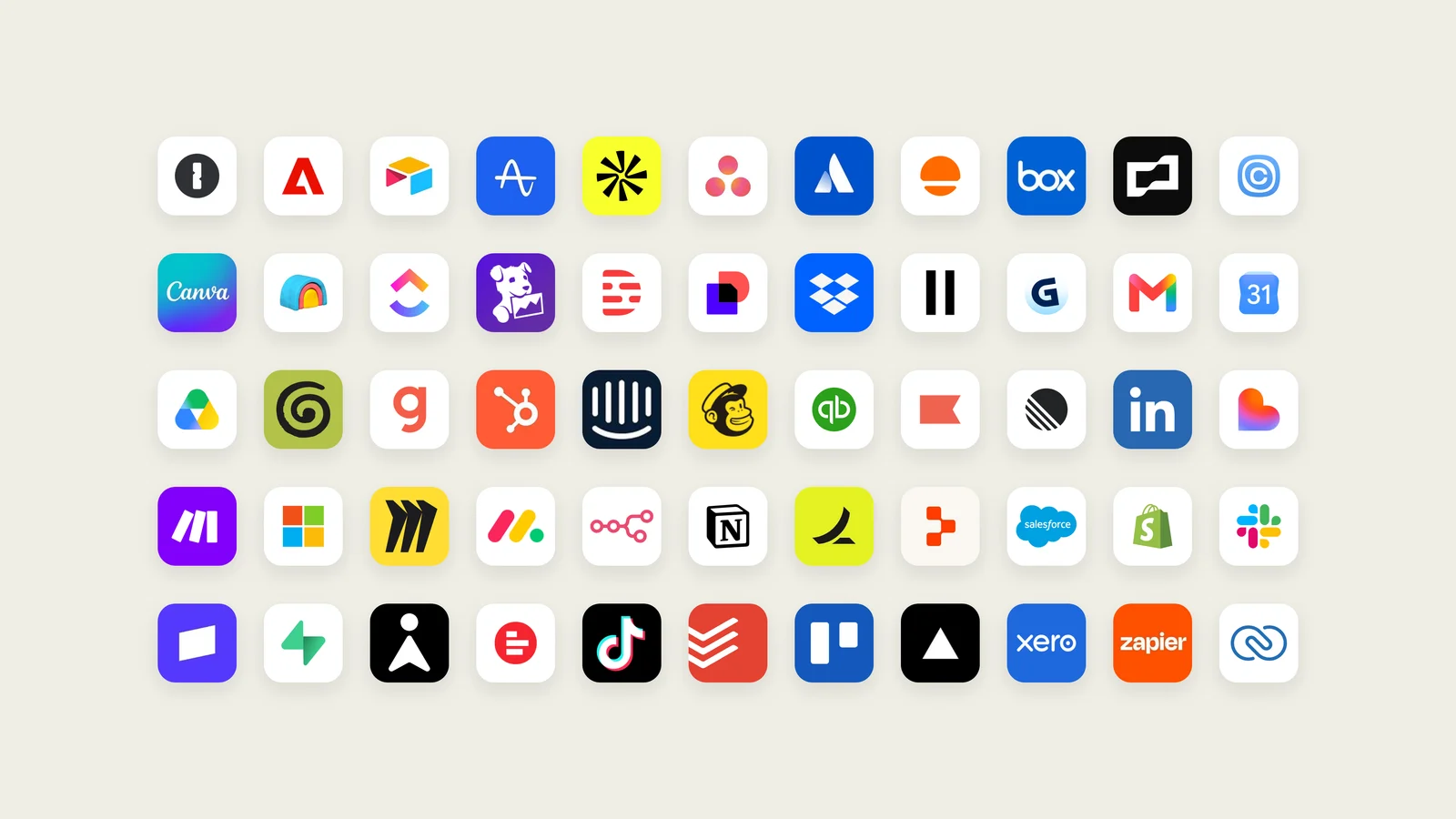
Check the marketplace for the specific software your business runs on before you plan around it. A connector existing is also not the same as Duet doing a task well in it: Anthropic built the core around work and says it will keep tuning.
30 ways to use Claude Duet
The use cases below are grouped by the job they do. Each one is tagged: Anthropic's own documented examples, or our ideas for service businesses, built only from capabilities Anthropic has described. We have not tested Duet ourselves; it is not available in Canada yet.

Inbox, calendar and the day
A morning brief across every app
One short list of what matters today, pulled from your connected apps, before you open any of them.
Anthropic exampleMissed Gmail and Slack messages, with replies drafted
It finds what slipped past you and drafts the reply. Nothing sends until you approve it.
Anthropic exampleCalendar mistakes caught before they cost you
A tester's property showing was on her calendar for the wrong day. Duet flagged it without being asked.
Anthropic exampleA brief before every important call
It prepared a client-call brief for a tester, then noticed the call sat right before her flight and offered to move it.
Anthropic exampleYour to-do list, spoken on a walk
Talk through your mental list by voice; Duet turns it into tasks and works through them. Anthropic's Claude Code lead uses it this way.
Anthropic example
Money and admin
Chase unpaid invoices
Check QuickBooks or Stripe for overdue invoices and draft the reminders for you to approve.
Anthropic examplePrepare payroll
Prepare and run payroll in Gusto with hours, bonuses and reimbursements filled in, waiting for your review.
Anthropic exampleWork through invoices location by location
A restaurant owner with about 110 employees used it to go through invoices store by store: "I don't need to open up 100 tabs."
Anthropic exampleBuy supplies with a virtual card
It confirms the item, you approve the spend in Link, and it pays with a virtual card so your real number stays private.
Anthropic exampleFinancial and sales forecasts
Hand it the question; it builds the model from your connected data and returns it as a sheet.
Anthropic example
Clients, sales and contracts
Follow-ups from your CRM history
Draft follow-up emails using the contact and deal history in HubSpot.
Anthropic exampleAgreements out for signature
Help prepare agreements and send them for review and signature through Docusign, after your approval.
Anthropic exampleA deck rebuilt with this quarter's numbers
Anthropic's product demo shows it rebuilding a pitch deck with new figures and flagging the slides that need your eye.
Anthropic exampleResearch the people you are about to meet
In the same demo it reads the bios and recent deals of the people in a meeting and drafts answers to likely questions.
Anthropic exampleProposal follow-through
For an agency or consultancy: each Friday, list proposals with no reply in seven days and draft a short nudge for each.
Our idea
Marketing and customers
A launch turned into a social campaign
Turn a product or service launch into a set of social posts in Canva for you to approve.
Anthropic exampleSet up and manage a Shopify store
Set up, design and manage your store. Anthropic says a richer visual editor with a preview is coming.
Anthropic exampleCustomer problems summarized, fixes drafted
The product demo shows it spotting a weekend spike in wrong orders, tracing most to one location and drafting refunds.
Anthropic exampleA churn question turned into a test
In the demo it traces cancellations to a shipping price change and proposes a two-week free-shipping test.
Anthropic exampleReview replies, drafted daily
For a clinic or local business: draft a reply to each new review in your connected tools, so responding takes minutes. Check the marketplace for your review platform first.
Our idea
Operations and building
One page that says whether the business is healthy
A daily dashboard pulled from point of sale, Shopify, CRM, support, payroll and bank, refreshed before your brief.
Anthropic exampleAn opening checklist built from past openings
The demo builds a 41-item checklist for a new location from the last two, and tracks it to opening day.
Anthropic exampleHiring: job posts and interview scheduling
Draft a job posting and post it to LinkedIn once you approve; Anthropic's Duet team uses it to schedule user interviews.
Anthropic examplePrototypes and simple web apps
Anthropic lists prototyping and building web apps among the larger tasks; its team uses Duet to help ship code.
Anthropic exampleHand off the list, read the evening report
Give it your to-do list before you leave for the day and read what it finished in an evening report.
Anthropic example
For service businesses: what we would test first
Weekly listing check
Use its browser to compare your hours, address and services on your website against your main listings, and draft a fix list. Facts that disagree give an AI assistant a reason to doubt them.
Our ideaMonthly client report, first draft
For an agency: pull the month's numbers from connected analytics and CRM into your report template for you to edit.
Our ideaNew-enquiry triage for a firm
For a law or accounting firm: sort new enquiries by matter type and urgency each morning and draft acknowledgements. Check your professional confidentiality obligations first.
Our ideaLapsed-client win-back
For a clinic or salon: list clients with no visit in six months and draft a reminder for each, held for your approval.
Our ideaCompetitor watch
Once a month, read competitors' websites and pricing pages with its browser and summarize what changed.
Our ideaSection illustrations: Anthropic. Anthropic examples are paraphrased from its launch post and product page; the product-page scenarios are Anthropic's demo, not customer results.
How should you start with Claude Duet?
Start narrow. Connect the two or three apps where most of your day happens, let it run the morning brief for a week, and give it one recurring task with a clear approval step, such as invoice reminders. Tell it what you want to hear about and how often, and widen its scope only once its judgment matches yours.
A first week we would run:
- Day 1: connect email, calendar and one money app (QuickBooks, Stripe or Gusto). Tell Duet what counts as urgent for you.
- Days 2 to 3: read the morning brief and note what it flagged that you would have missed, and what it flagged that you did not need.
- Day 4: hand it one recurring task with an approval step, like invoice reminders or follow-ups.
- Day 5: hand it one larger build, like a daily dashboard, and check its numbers against your own.
- End of week: prune what it watches. Fewer, better check-ins also use less of your plan.
What does Claude Duet mean for businesses that want to be found?
Claude Duet is one of several agents that now research, compare and buy on a person's behalf. Google, OpenAI and Meta shipped their own within weeks of each other, which we covered in Gemini Agent vs ChatGPT Dots vs Meta Muse. When a Duet user asks it to find a supplier, compare quotes or book a service, it works from whatever it can read about you.
Duet uses its own browser and connected apps to do that research, so the basics decide whether you make the list: pages it can open, facts that match across your website and listings, clear prices or fee guidance where you can give them, and a contact or booking path that works without a phone call. Our guide to how AI agents evaluate businesses covers those four stages, from being found to being booked.
If you want to know what AI assistants say about your business today, our free AI visibility scan runs the questions your customers ask through ChatGPT, Claude and Gemini.
Frequently asked questions
What is Claude Duet? Claude Duet is a proactive agent app from Anthropic, built on Claude Opus 5.5. It sends a morning brief, watches your connected apps, takes on tasks you message it, keeps working on its own cloud computer while you are away, and asks for approval before it sends, pays, signs or deletes anything.
Is Claude Duet free? It is included in Claude Pro, Max and Ultra plans during the research preview rather than sold separately, but it shares your plan's usage limits with the rest of Claude. Its background checks count toward those limits, and large tasks use more.
Can I use Claude Duet in Canada? Not yet. The research preview started with Pro, Max and Ultra subscribers in the United States, by waitlist, and Anthropic has not announced dates for other countries.
Can Claude Duet spend money or send emails on its own? No. It drafts and prepares on its own, but it shows you exactly what it is about to do and waits for approval before it sends a message, makes a payment, signs a document or deletes anything. Trading securities and moving money between accounts are off-limits even with approval.
How is Claude Duet different from the Claude app? In the Claude app you start the conversation and work alongside Claude. Claude Duet starts it: it comes to you with what needs attention and works in the background on its own computer. It uses the same account, memory, skills and connectors as your other Claude tools.
Sources
Checked 3 November 2026.
- Anthropic, Introducing Claude Duet, October 21, 2026 (updated October 23, 2026).
- Anthropic, Claude Duet product page and FAQ.
- Anthropic, Claude Marketplace: connectors and plugins.
App icon, illustrations and integrations image: Anthropic, from the Claude Duet launch materials.